
The official Banglaslots app, now on your smartphone. Fast loading, easy navigation, and all features in one place — play from anywhere.
Android, iOS, or mobile browser — play whichever way works best for you.
Works perfectly on all Android smartphones including Samsung, Xiaomi, OPPO, Vivo, and Realme. Just download the APK file and install directly.
Specially optimized for iPhone and iPad users — smooth animations and fast performance guaranteed.
Play directly in your browser without installing anything. Banglaslots works fully on Chrome, Safari, or Firefox.
Go to your phone's Settings → Security or Privacy and enable "Unknown Sources" or "Install Unknown Apps". This is required to install APK files.
Go to the official Banglaslots website and click the Android APK button. The file will be saved to your downloads folder.
Open your phone's File Manager or Downloads app and locate the banglaslots.apk file.
Tap the file and an install prompt will appear. Press the "Install" button. Installation may take 30–60 seconds.
The Banglaslots icon will appear on your home screen. Tap it to open the app and log in to your account.
Go to the Banglaslots download page on your iPhone. Safari works best, though Chrome and Firefox will also work.
Tap the "Download iOS App" button. If prompted to allow the Configuration Profile download, tap Allow.
Go to Settings → General → VPN & Device Management, select the Banglaslots profile, and tap Trust.
Once installation is complete, the Banglaslots icon will appear on your home screen. Tap it to launch the app.
New user? Register directly from within the app. Already have an account? Just log in.
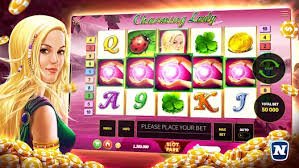
Everything from the website, now in the app — faster and easier.
As a native app, it loads significantly faster than a browser and performs well even on slow internet connections.
Get notified directly on your phone about new bonuses, promotions, and important updates.
Log in instantly with your fingerprint or Face ID — no need to remember your password.
Dark mode is on by default for a comfortable viewing experience. Perfect for late-night sessions.
The entire app is available in Bangla, designed with Bangladeshi users in mind.
Mobile Banking, Nagad, and Rocket — all directly from the app. Deposits and withdrawals have never been easier.
Slots, fish games, Live Casino, Sports Betting — all in one app. New games added every week.
Chat with customer support via live chat right inside the app. Available 24 hours a day.
| Subject | Android | iOS |
|---|---|---|
| Minimum OS Version | Android 5.0 (Lollipop) | IOS 12.0 |
| Minimum RAM | 2 GB | 2 GB |
| Storage | 100 MB free | 120 MB free |
| Processor | Quad-core 1.4 GHz+ | A9 chip or above |
| Internet | 3G / 4G / Wi-Fi | 3G / 4G / Wi-Fi |
| Display | 480×800 or higher | IPhone 6 or newer |
| File Size | 48 MB | 52 MB |
Online gaming in Bangladesh is evolving fast. What once required a desktop is now fully possible on a smartphone. Banglaslots recognizes this shift — which is why their app isn't just a "mobile version" but something built from the ground up with mobile users in mind.
From the moment you open the app, it's clear it was built for real Bangladeshi users. The interface is in Bengali, Mobile Banking and Nagad are right there in the payment options, and game load times are noticeably short. Banglaslots also runs reasonably smoothly on slow connections — something that really matters across a lot of Bangladesh.
Many users feel a little unsure the first time they download an APK. It's actually straightforward. You need to enable "Unknown Sources" on your Android phone to install apps from outside the Google Play Store. Rest assured, the Banglaslots APK is completely safe — it's downloaded directly from our own servers, so there's no third-party risk.
The process for iPhone is a little different. Even though it's not on the App Store, you can install it directly through Safari. Once you've trusted it in Settings, the app works just like any App Store download — you won't notice a difference.
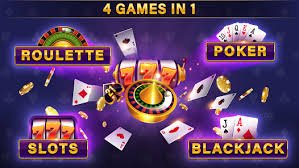
The Banglaslots app offers four main types of games. First, slots — the largest selection, with over 300 titles. Second, fish games — which have become hugely popular in Bangladesh. Third, Live Casino — the feel of playing with a real dealer in real time. And fourth, Sports Betting — place bets on cricket, football, and more.
The app's "New Games" section gets fresh additions every week. Game providers include top names like Pragmatic Play, PG Soft, Jili, and Spadegaming — all of which look great on mobile and are easy to play with touch controls.
Sticking to just the website means missing out on some exclusive perks. Download the Banglaslots app and be the first to hear about promotions via push notifications. App-exclusive bonuses also pop up from time to time, available only to app users. And with biometric login, there's no need to keep entering your password.
Deposits are even smoother on the app. Mobile Banking or Nagad opens directly without needing to switch between apps, making the payment process much faster. Withdrawals are just as easy — from checking your balance to cashing out, everything takes just two or three taps.
If you run into any issues during installation or when launching the app, start by restarting your phone — this resolves most problems. If the app crashes, uninstall the old version and download the latest one. If the app still won't open, try clearing the app's cache and data.
If the issue persists, contact Banglaslots live support. The support team is available 24 hours a day and can assist you in Bengali. Sending a screenshot of the problem helps speed up the resolution.

Download for free on Android or iOS and enjoy the best gaming experience in Bangladesh.